
-
Hey Guest. Check out your NeoGAF Wrapped 2025 results here!
You are using an out of date browser. It may not display this or other websites correctly.
You should upgrade or use an alternative browser.
You should upgrade or use an alternative browser.
Super Smash Bros. for 3DS |OT2| Nintendo All-Stars Battle Quarter Pounder
- Thread starter IntelliHeath
- Start date
- Status
- Not open for further replies.
FleetingFlowAir
Member
I take back what I said about it being slow, it is at about 80% now. 


Eyeshield1625
Member
I got this error and it asked me if I wanted to be taken to see the terms of service. I hit yes and agreed. Now I have been getting an error occurred with no other explanation for the past 25 min :-/For people getting the error codes, did you try reading it?
I got an error code when I first loaded the shop, and it said the terms of service have changed, and they need to be agreed to.
Once I handled that I've had no issues. And now I'm sitting at 70%.
87%!

I'm so glad we were given this GIF just before Smash release.
Well...good luck with that Pikma.
Mikuthumbsup.gif
Just kidding, I'm only using Mega Man so I don't care about anyone else, I may try someone else next week though, if I feel like it
Orbis Tabula
Member
1) yes
2) yes, as long as you save a save file backup when it prompts you
3) yes, just copy them over
1) yes
2) yes, but you can back up the save just in case (option on the home screen)
3) yes
1) Yes
2) Back them up first (hover over the icon and do the save data backup)
3) Yes, through a PC. Normal file management
Thanks, guys! So as long as I back up my save, there's absolutely no consequence to deleting Layton? Then make room for Smash, professor!
make sure you turn off any firewalls on it~
I have. I've tried nearly everything. Even called Nintendo support about it and after we went through everything again they said people just have problems with my particular router.
It's amazingly annoying when downloading things in-game that can't be downloaded with download later. I have to go to a friend's place or Mcdonalds or something for it to work if it's longer than about a minute.
and we're up! 33 minutes, not too terrible.
Ach, that sucks. I used to have the same issues on an Ubee gateway but disabling the firewall and un/re enabling UPnP solved all of that.
I have. I've tried nearly everything. Even called Nintendo support about it and after we went through everything again they said people just have problems with my particular router.
It's amazingly annoying when downloading things in-game that can't be downloaded with download later. I have to go to a friend's place or Mcdonalds or something for it to work if it's longer than about a minute.
Ach, that sucks. I used to have the same issues on an Ubee gateway but disabling the firewall and un/re enabling UPnP solved all of that.
Zeyphersan
Banned
I'm just running around my place looking for my 3ds
I want to cry guys
And I have to add funds before I start downloading
Hahahahahaha
youarealreadydead.jpg
GAF, I have had the most unfortunate series of events happen tonight. I had a 32GB SD card in my old phone and decided to swap it with the 16GB card in my 3DS. More space, heck yeah! What could possibly go wrong? Everything gets saved to the PC A-OK, but when I try to put the 3DS data back on, "windows cannot recognize disk".
No... No. No. No. Well, I still have an hour before the game is out, so let's try this again. Insert card -> "Windows needs to format disk" -> "Windows is unable to format disk". Rinse repeat. Let me scope out Google for solutions. CMD? Nope. Disk Manager? Nope. Regeit? Nope. I'm about to drive up to Wal-Mart and spend money I don't need to be spending. Ugh.
I had this problem earlier. On the left of the SD card there should be a lil sliding tab thing. It'll say locked and unlocked. Change it to unlocked. When you put it back in the 3ds put it back to locked.
That's how I fixed it.
Hellsing321
Member
IT'S DONE!
Prevolition
Member
Winner!
Japanmanx3
Member
I've literally baked a Blueberry Coffee Cake. Started after my 2nd attempt to back on the eShop. The plan was bake the cake, whilst downloading, whist doing the Weekly on Destiny. I was bettin on server issues but man it seems like no one in the south can't even access eshop. I got in at 12 and did not have the option to purchase. I still said coming soon. ughhhhhhhhhhhhhh


rockmanjoe
Member
All this hype and I still have to wait till the morning! fuuuuckkkkkkk!!!!!!!!!
mgs2master2
Banned

zero issues actually getting to download it. EXCITE AND HYPE RISING
deadcelledo
Member
I'm around 75% can't wait!!!
How do you do the patch? Does it automatically ask when you go to start the game?
It's on the eshop, in the smash 3DS section.
X
Xpike
Unconfirmed Member
firebrand how is yours doing
kolbi is a piece of shit
kolbi is a piece of shit

DreadPirateRoberts
Member
An update, why.

Banjotanooki
Member
Dammit, need to free up some space.
No need in keeping the platinum member demo anymore, right?
Anyone?
friskykillface
Banned
fuck it im going online first
brave, i am too shook for that for glory record so i will play classic mode first
3/4 done
so close
Munkyspace
Member
FILL THE BOX, YOU LITTLE GLASS BEADS
FILLLLLLLL
FILLLLLLLL
Hyperactivity
Banned
Hahahahahaha
youarealreadydead.jpg
FOUMD IT
YES HOORAH
Now I need to go through the pain of adding funds and downloading the patch
Hoagmaster
Member
It's finished!
An update, why.
HOHOHOHOHO we got our first casualty
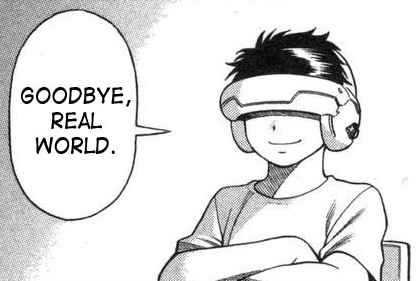
Was gonna say that you're really dedicated to this Pikma lolJust kidding, I'm only using Mega Man so I don't care about anyone else, I may try someone else next week though, if I feel like it
ColossalLazy
Member
YES FINISHED
I am gonna play a bit!
I am gonna play a bit!
- Status
- Not open for further replies.