• Hey Guest. Check out your NeoGAF Wrapped 2025 results here!

Xbox One March Update Rolling Out Now

jbug617

Banned
Just in time for Ori. You can check if you have the update ready to download by going to Settings and then System. Update Console should be available from there.

http://news.xbox.com/2015/03/xbox-one-xbox-one-march-system-update

Screenshots – New this month is a highly requested feature by our community from the Xbox feedback site. While playing a game, you can now take screenshots on your Xbox One console by simply double-tapping the Xbox button on your controller to capture a screenshot and pressing Y to save the screenshot. You can also say “Xbox, take a screenshot” to take and save a screenshot.

The Upload app has been updated so that you can manage your screenshots in addition to your game clips. To set a screenshot as your background, go to Upload, open the screenshot full screen, press the Menu button, and select Set as background. You can also use Upload to share screenshots to your activity feed, attach them to messages, add screenshots to your showcase, share to Twitter, and post to OneDrive. Additionally, your game clips and screenshots will be shown in a new area on your profile.

Suggested friends – Everyone can use new friends! Suggested friends will include people you might know—so you can add more friends to game with—and top community broadcasters and clip creators—so you can get more great content in your activity feed. To find new friends, go to Friends and look for people under the Suggested friends heading or select the Suggested friends button. Or, if you don't have a ton of friends yet, just check the Friends area of Home.

Sharing your name – We’re rolling out two new ways to share your real name: with all of your friends, or to everyone in the Xbox Live community. You can also continue to share your real name with select friends or no one, if that’s what you prefer. Gamertags are still the primary method of identifying yourself on Xbox Live, but sharing your real name helps people recognize you who might not know you by your gamertag. The new name sharing options can be found under Friends > My profile > Name sharing settings.

Party chat enhancements – We added two new icons to party chat to show each participant their own microphone status. The Kinect icon means the Kinect is being used as the mic and the headset icon means the headset mic is being used.

Tile transparency – As a result of your feedback, we're adding a setting to vary the level of transparency for your background images. To do this, go to Settings > My Xbox > Tile transparency.

Voice search privacy – We added a new setting to share voice search data to allow anonymous collection and analysis of voice data when using Bing on Xbox to search. Go to Settings > Privacy and online safety > Custom > Share voice search data to change the setting.

Report spam – The Messages app has an added option to notify Xbox when you receive spam. To report a message as spam, select it, press A on the controller, select Report, and then choose Spam.

Live TV & OneGuide in Australia – Support for OneGuide is now available to all users in Australia for free-to-air TV listings. Additionally, the OneGuide app will be pre-pinned for users in Australia a few days after the March system update goes live.

Xbox One Digital TV Tuner in Australia – Xbox One owners in Australia can pre-purchase the Xbox Digital TV Tuner at the online Microsoft Store, Availability of the tuner is planned for March 25, 2015.
 
If there's ever a game that deserves an OS feature for co-launch, Ori is definitely it.

No doubt, nice timing.

March Update is definitely one of the better ones they've done so far, screenshot functionality works a lot better than I was expecting to be honest.
 
Nice, looking forward to playing around with the screenshot feature. Tile transparency customization is nice as well.

Keep them coming Microsoft!

Edit: The really need to increase the max background size from 3MB, hopefully that happens soon.
 
When do they add the feature that makes reputation and blocking someone mean something and work?

I'm tired of racist mysoginist homophobes continually appearing in my matchmaking lobbies despite blocking them.
 
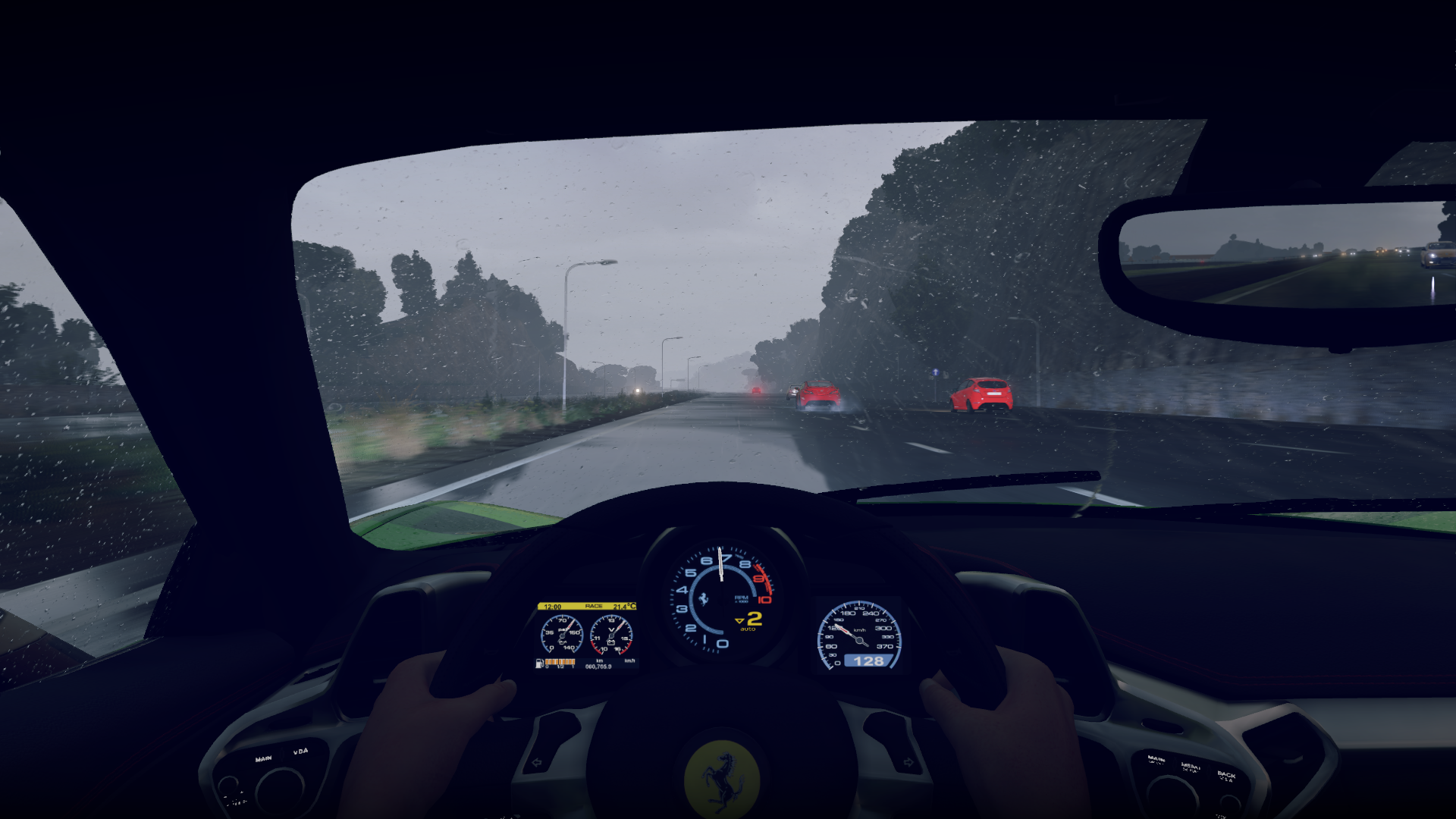
Awesome! Here's some Forza Horizon 2 gameplay I posted in the screenshot thread.
screenshot-original11yuu3i.png

screenshot-original123puhh.png

screenshot-original14joubf.png
 
When does the update go live ? I don't see it.

Seems like they've started rolling it out now so it's just a matter of when it finally hits your console. Seems to vary for everyone.

Just keep checking in the system settings every so often to see if it's flagged for you.
 
Would be interesting to see if there is a quality difference between a raw screenshot and for example a forza motorsport-uploaded photo.

Anyone up for the task of comparing this new feature with that of the built-in one in various games?
 
Would be interesting to see if there is a quality difference between a raw screenshot and for example a forza motorsport-uploaded photo.

Anyone up for the task of comparing this new feature with that of the built-in one in various games?

It was covered pretty extensively in the Xbox Screenshot thread. We've been using the functionality for a few weeks now in the preview program.
 
Would be interesting to see if there is a quality difference between a raw screenshot and for example a forza motorsport-uploaded photo.

Anyone up for the task of comparing this new feature with that of the built-in one in various games?
It'll be the same if they were both taken from the console.
 
It was covered pretty extensively in the Xbox Screenshot thread. We've been using the functionality for a few weeks now in the preview program.
Oh alright!
I was unaware of that thread, I'll check it out.

It'll be the same if they were both taken from the console.
Well the forza ones got uploaded through forzamotorsport.net, where you could then download them to your computer, FM 5's look fine, but in previous titles they were noticably compressed.
 
Well the forza ones got uploaded through forzamotorsport.net, where you could then download them to your computer, FM 5's look fine, but in previous titles they were noticably compressed.

The XB1 screenshots are lossless PNG, there is no compression. Check out the console screenshots thread.
 
Nice, looking forward to playing around with the screenshot feature. Tile transparency customization is nice as well.

Keep them coming Microsoft!

Edit: The really need to increase the max background size from 3MB, hopefully that happens soon.
The background size is 5MB now. They added that with this update.
 
Heist is up, the March update...and now I see a demo for Bladestorm: Nightmare is up. Boy this day can't get much better :)
 
You can manually check if your controller is updated going into settings ---> devices & accessories ---> select the controller

If you see an update available, remember to connect your headset before starting.

I did check manually and there was no update. I should've made that more clear in my post.
 
I got the update, but the share options aren't available. I've waited over an hour to see if it pops up, but nothing. My game clips and screenshot settings are set to "Everybody," so that can't be it.

I wonder if it's because I don't have Gold...

I also noticed that after my Gold expired, my videos stopped getting shared (and stopped having a share button) and uploaded to the Xbox site...now I have to manually upload them to YouTube through the app to get them online. Heh.
 
Nice features I guess, but the console is out nearly for one and a half years and they still haven't managed to let you pick your location independently from your language. This is a thing that should not be very hard to patch in, and they simply continue to ignore it.
 
Top Bottom